
Widget: Assistant task
The Assistant task widget shows the latest answer of a recurring Adset AI task: a question the assistant runs on schedule, for example a daily recap or a weekly review. The answer appears on the dashboard as an assistant message with text, key numbers, a chart and a table.
How to add the widget
- Enter edit mode of the dashboard and click Add Widget.
- Choose Assistant task in Display type.
- Select one of your recurring tasks, or leave the field empty: the widget will offer ready-made tasks.
- Set the optional title and the size, click Save, then save the dashboard.
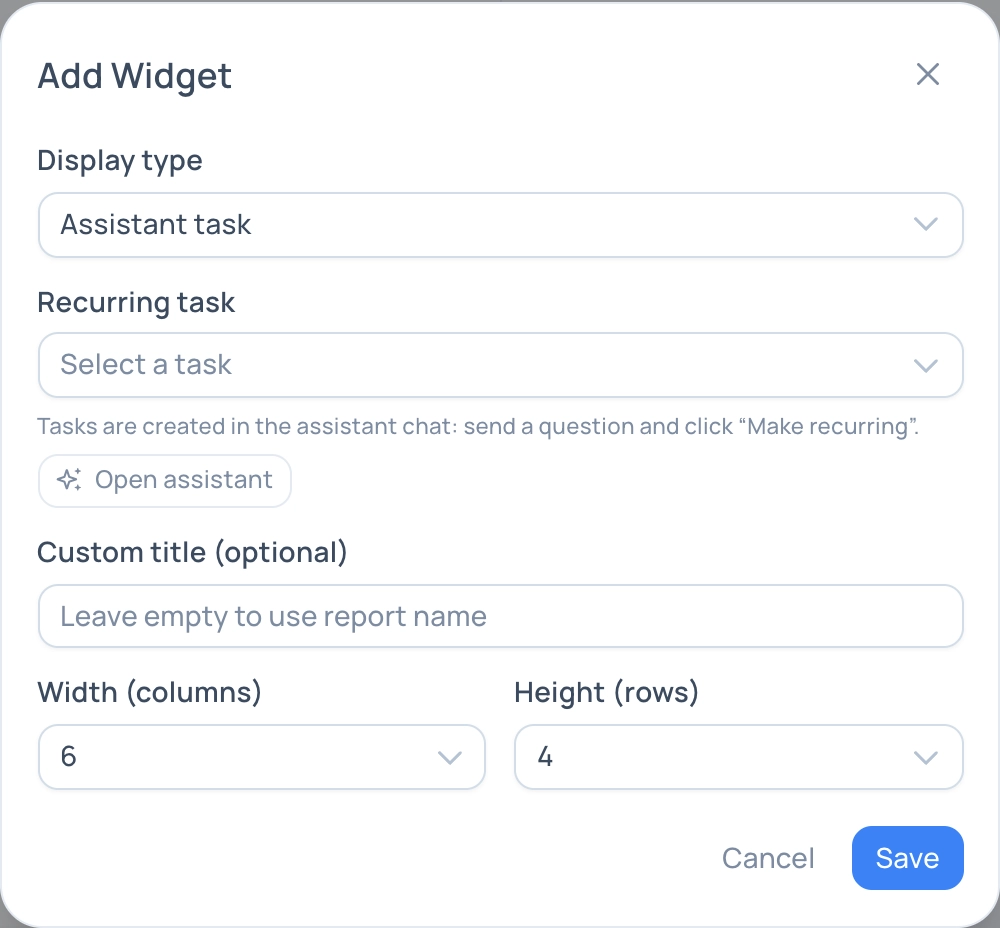
Add Widget dialog for the Assistant task type
Ready-made tasks
While no task is selected, the widget shows a list of ready-made tasks: yesterday recap, click → install drop, dropping campaigns, traffic without conversions, suspicious traffic, ad account spend, week recap, creatives and sub tags, registrations without deposits, geo of the week, pushes of the week. Click Add on a card: the task is created with the schedule shown on the card and attached to the widget.
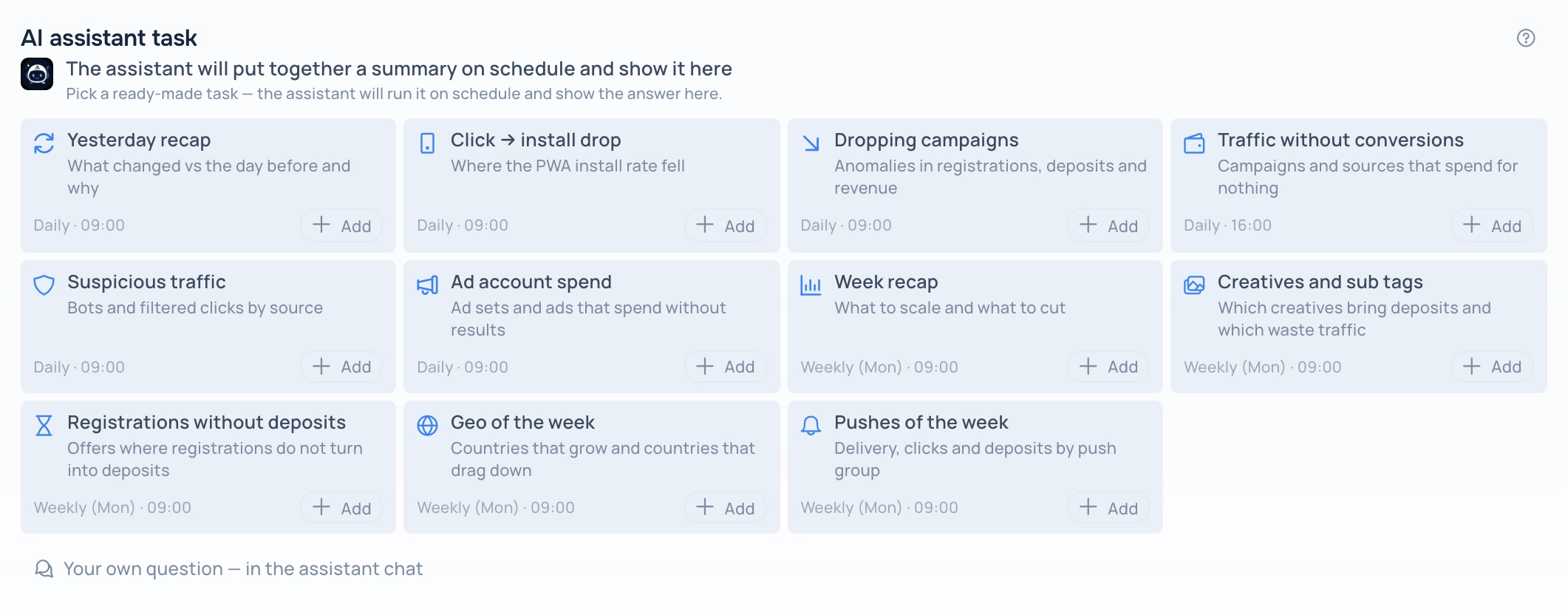
Ready-made tasks in an empty widget
To use your own question, open Adset AI, go to Recurring tasks and click Schedule my own question, or send a question in a chat and click Make recurring on your message. Then select the task in the widget settings.
Before the first run
A new task has no answer yet. The widget says when the first summary will be prepared and shows a countdown. When the time comes, the answer appears without reloading the page.
What the answer looks like
- Text — the conclusions of the assistant.
- Key numbers — up to three tiles, or a card of one campaign, source or offer.
- Chart — a bar chart by time or by category.
- Table — the first rows of the data behind the answer.
The layout depends on the widget width. A narrow widget shows the text, the numbers as a list and a small chart; a wide one places the text next to the numbers and the chart next to the table. A long text answer in a narrow widget is collapsed — click Show full answer.
Schedule and status
The caption under the title shows the schedule of the task and when the answer was last updated. If the task is paused, the caption says so and the widget keeps the last answer. If a run fails, the widget shows the reason. When all your recurring tasks are turned off, the widget offers the ready-made tasks again.
Continue in the chat
The Adset AI button in the widget header opens the chat of this task with the whole history, so you can ask a follow-up question in the same context. Tasks are personal: other members of the team see a message that the task is available only to its author.
Running a task is charged like a regular request to Adset AI.