Practical Examples
Example 1: Simple Campaign with One Stream Set
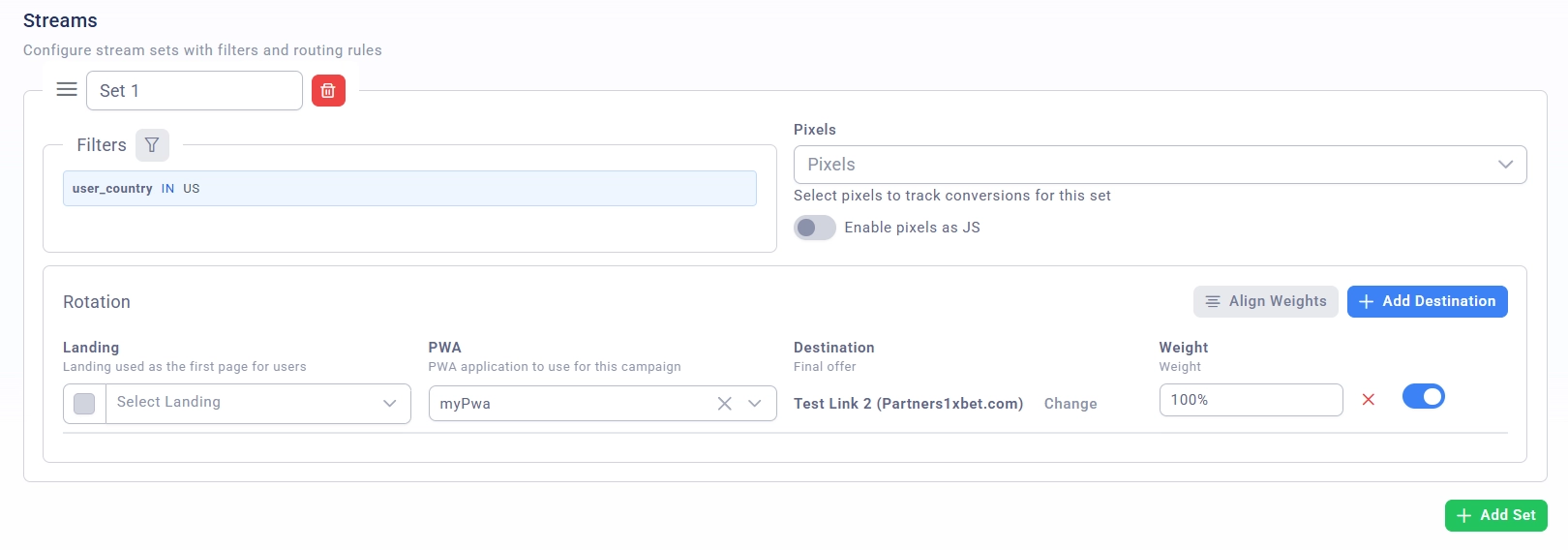
Task: Direct all traffic from the USA to one stream.
Setup:
Create a campaign, specify the name, domain, source
Add one stream set "US Traffic"
Set up the filter:
Type: Country
Operation: IS
Values: US
Add one stream with a weight of 100%
Save the campaign
Example 2: A/B Testing of Landing Pages
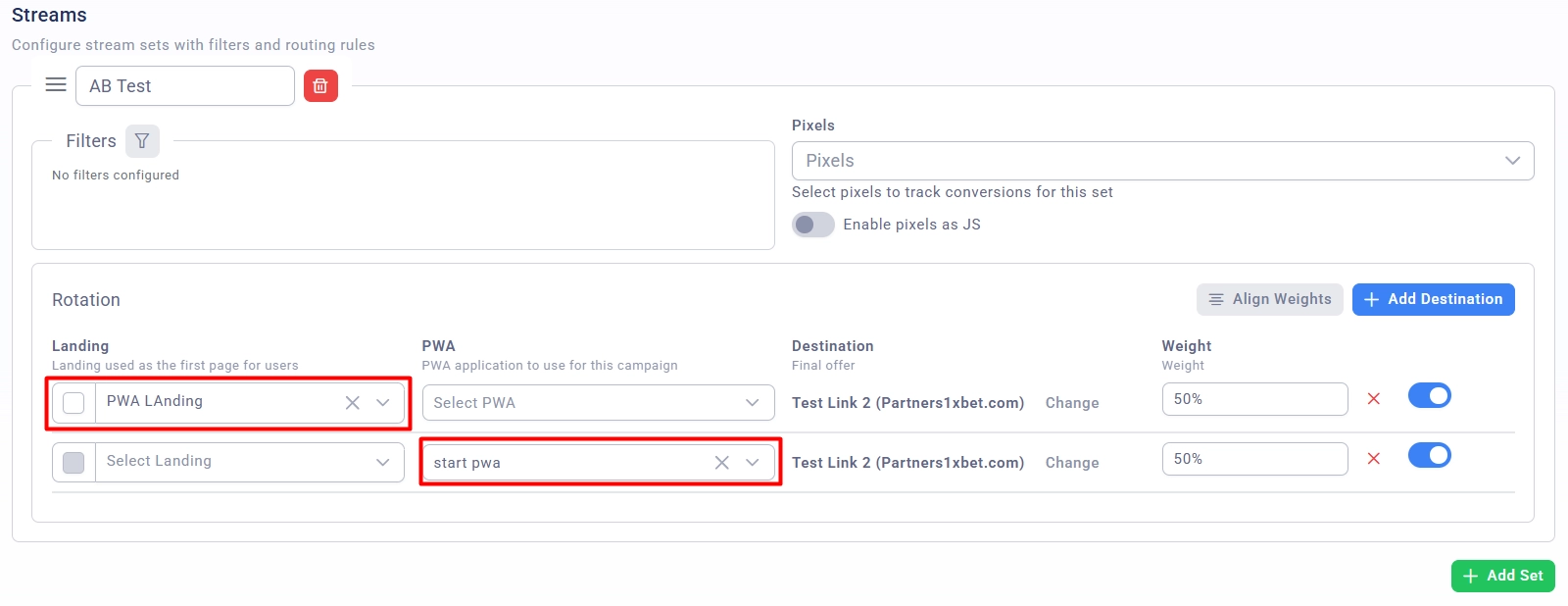
Task: Split traffic 50/50 between two landing pages for testing.
Setup:
Create a stream set "AB Test"
Do not add filters (to capture all traffic)
Add two streams:
Stream A: Landing 1, Weight 50%
Stream B: Landing 2, Weight 50%
Use the "Align Weights" button for automatic distribution
Example 3: Multi-Level Filtering
Task:
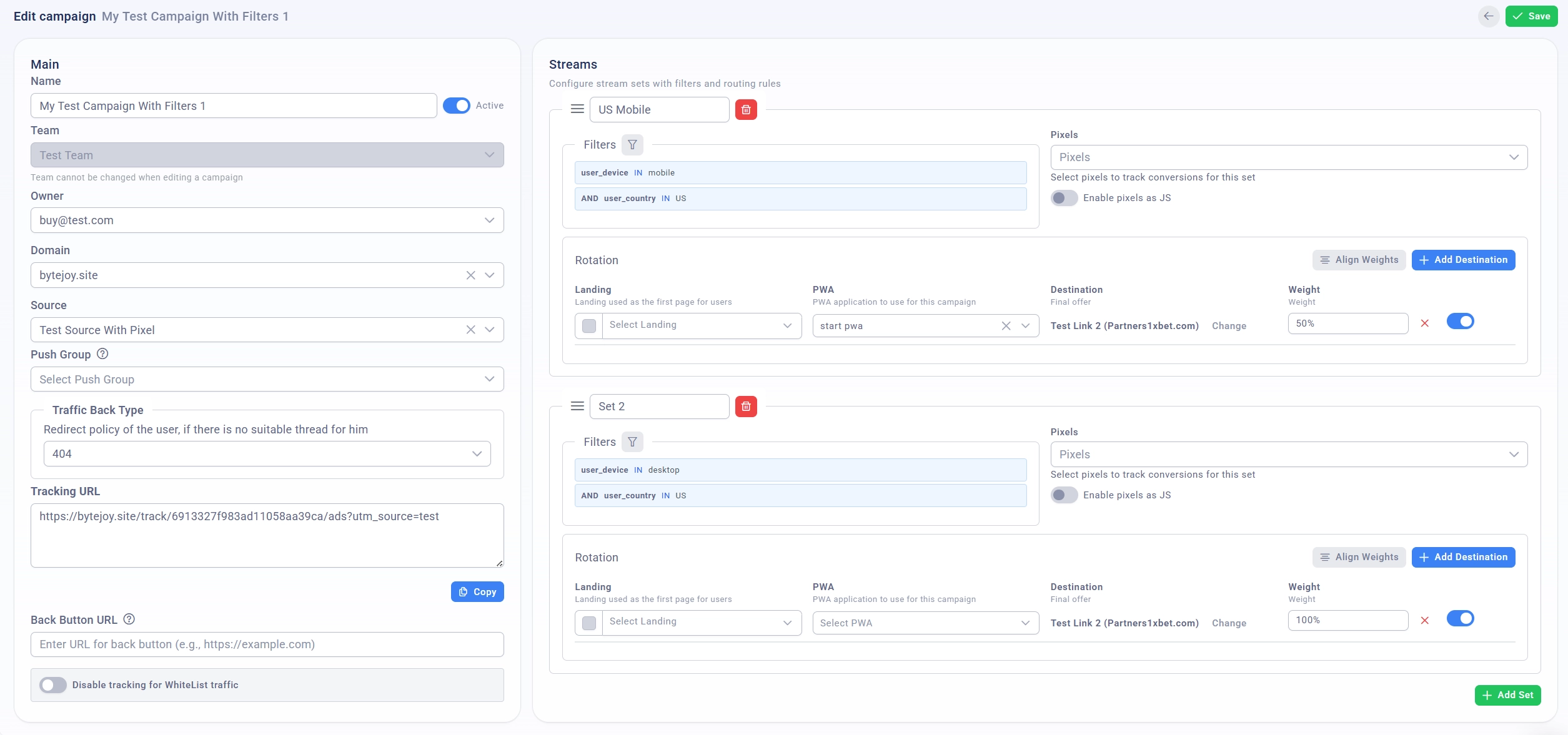
Mobile traffic from the USA → Stream A
Desktop traffic from the USA → Stream B
All other traffic → White Page
Setup:
Stream Set 1: "US Mobile"
Filters (AND mode):
Country IS US
Device Type IS Mobile
Stream A (100%)
Stream Set 2: "US Desktop"
Filters (AND mode):
Country IS US
Device Type IS Desktop
Stream B (100%)
White Page: 404 or redirect